Employee Foundation of the VKR Group 🤝 PhanTribe
Welcome to The Movement Walking Challenge
Build teams of 5 and embark on a step-counting adventure that rewards every move you make.
Ready to take your first step? Download PhanTribe and sign up.


Start: Apr 23rd, 00:00 am CET
End: Apr 30th, 23:59 pm CET
Use the invitation code MOVE26 to get started.

Short on time? Check out our pre-event video below.
What is The Movement Walking Challenge about?
Join PhanTribe's The Movement Walking Challenge lighthouse event, where fitness meets fun! Build teams of 5 and embark on a step-counting adventure that celebrates every move you make.
Walking is your superpower here, each step reflects your commitment to building healthier habits that support your wellbeing. Track automatically or manually with photo proof, whichever suits your style.
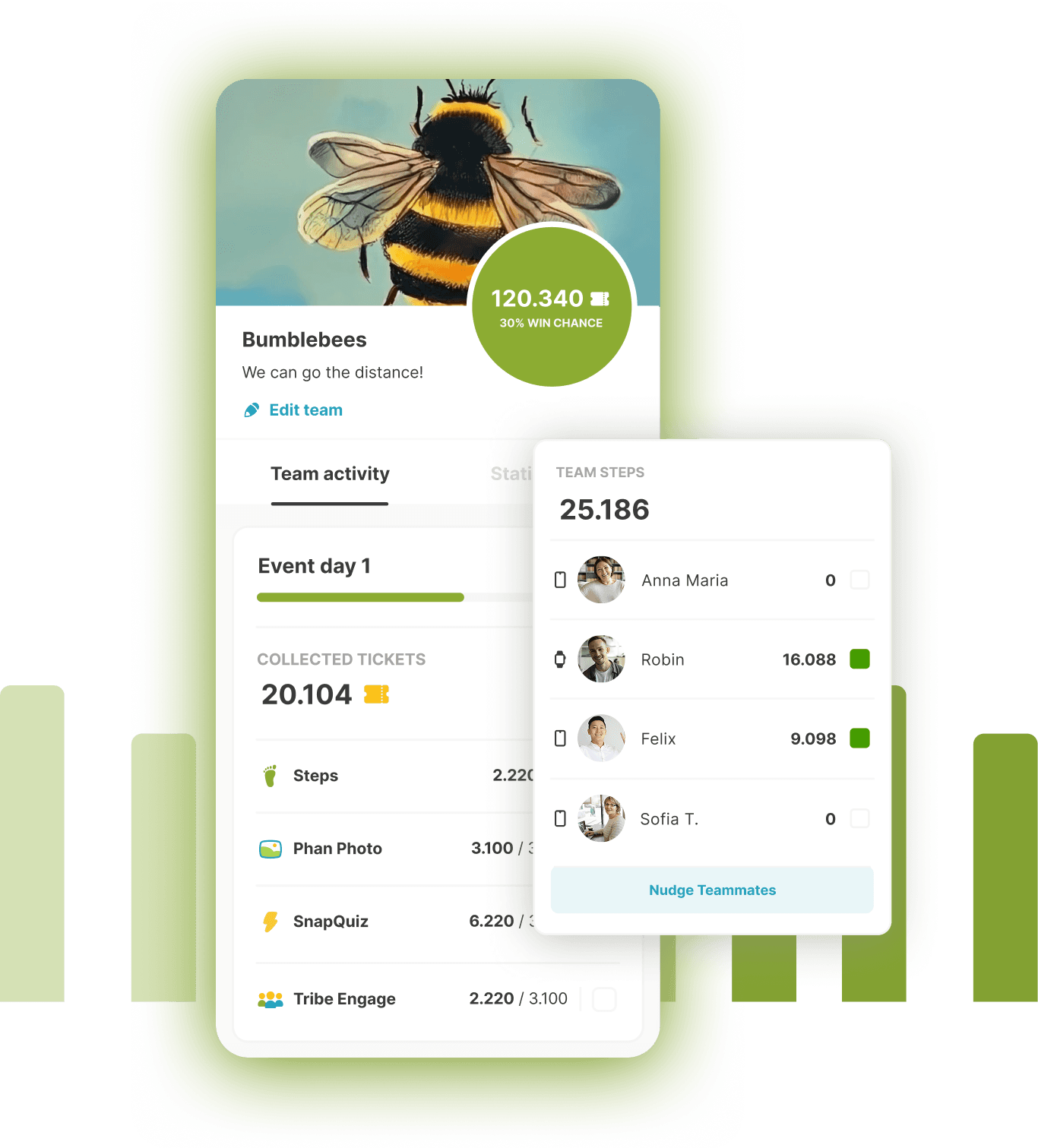
Every 3.000 or more logged steps boosts your team's score on the leaderboard and gives your teammates the chance to cheer you on as you take small steps toward lasting change.
The idea is simple: the more you move, the more you strengthen healthy everyday habits, and the more recognition you and your team can earn along the way.
Ready to walk, connect, and create lasting change? Your tribe is waiting!
Steps
Every step counts, walk as many as you can!
- Use your phone's step counter or upload a picture from your smart watch.
- Walk at least 3.000 steps to be able to submit them to the leaderboard.
- Cheer on your team mates' submissions and earn points.
PhanPhoto
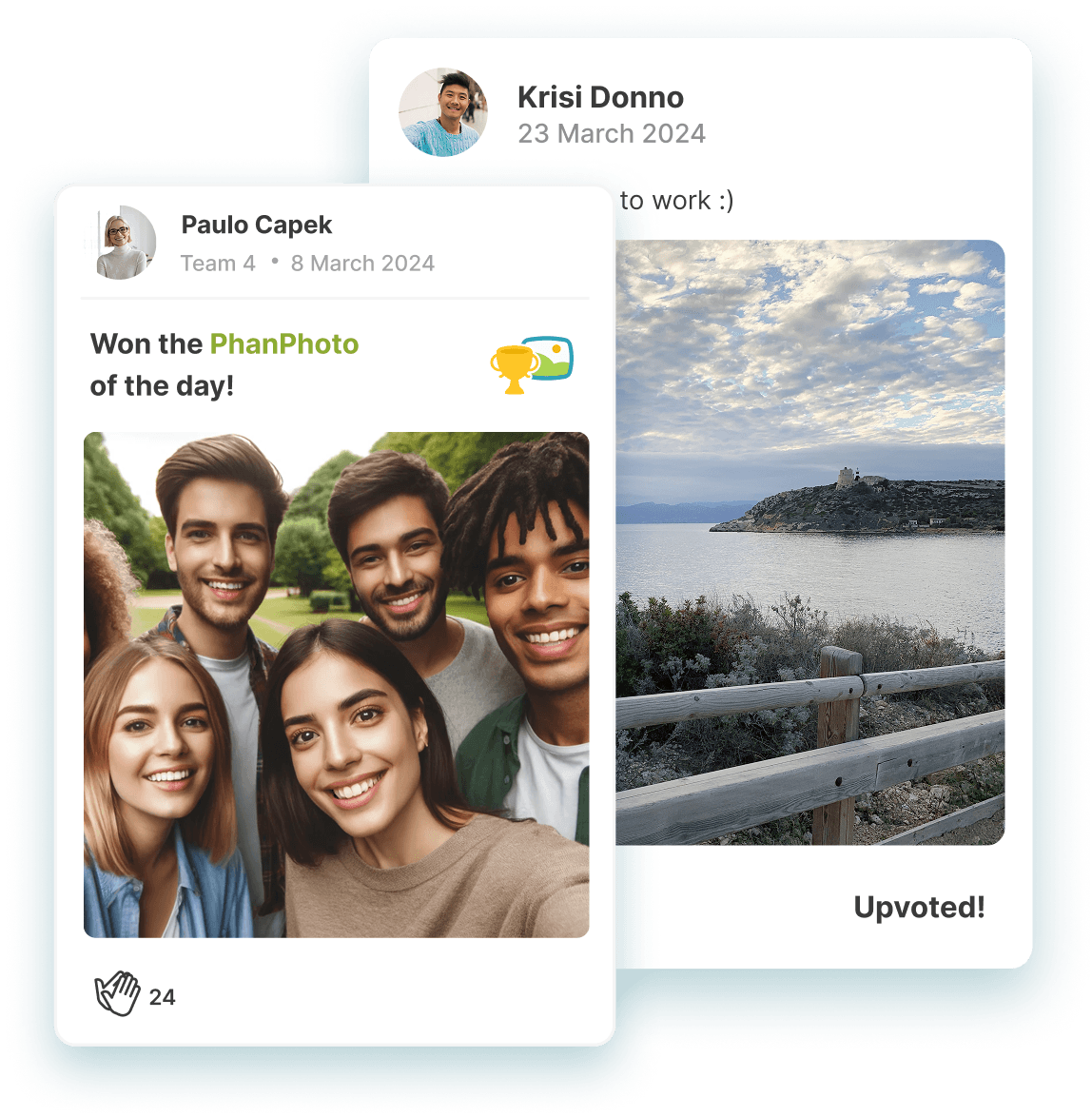
Can you snap the best photo of the day?
- Take a picture and share with others to get the most upvotes!
- New day, new theme, another chance to win extra points for your team.
FAQs - Frequently Asked Questions
Account & Login
I already have an account. Where do I enter the invitation code?
If you have received an invitation code for an event hosted by another company, you can use it to join that company's event from the lobby.
To do this, go to the Lobby and tap Switch to other company. On the next screen, enter your invitation code and tap Join company. You should then be able to access the event.
Once you have joined, you can easily switch between events hosted by different companies.
I'm already in a team, but the app is asking me to join a new one or thinks I'm a second user.
This usually happens if you've created a new account. Please try logging into your old account. If you can't remember your password, use the "Forgot Password" link on the sign-in page.
I'm having trouble logging in or resetting my password.
Ensure you are using the correct email address associated with your account. If you've tried the "Forgot Password" option and are still stuck, please contact support with your full name and any alternate email addresses you might have used.
I accidentally left my team. Will my data be lost?
No, your data should not be lost. You can request to join your team again, and once your team captain approves, you'll be good to go.
I accidentally deleted my account. Can I recover it?
Unfortunately, deleted accounts cannot be recovered. However, the spot in your old team should become available again, and you can apply to join them.
Step Tracking & Logging
How do I log steps in PhanTribe?
Watch the video below which takes you through the process of logging steps automatically and manually.
I have a smart watch - how do I submit my steps?
On iOS, you need to make sure that your smart watch is reporting steps to Apple Health. From there PhanTribe can read the data if given the permission. On Android, you have to fall back to manual logging and uploading a picture of your smart watch as proof.
My steps are not appearing in the app or challenges, or the count seems incorrect.
There can be several reasons for this:
- Automatic Logging: If you're on automatic logging, steps are pulled from your phone's health app (e.g., Apple Health, Android's step counter). There might be a slight delay in syncing. Waiting a bit and trying again later often resolves this.
- Manual Logging: If you're using manual logging, ensure you are submitting your steps for the correct day. You can submit manual logs multiple times a day if you walk more steps after a submission. If you still see discrepancies, please contact support.
- Timezone Issues: Sometimes, initial steps during the event's first hour might not be accounted for due to timezone differences.
I have chosen manual logging - when is my submission being verified?
Since there is a human sitting on the other end double checking each manual submission, it can take up to a couple of hours for your submission to be verified. However, in most cases it happens within 30 minutes or less.
How many steps can be logged?
To ensure fair play, there is a cumulative step cap of 28,000 steps per day per participant. This means you can log up to 28,000 steps for the first day, up to 56,000 steps for the first two days, 84,000 steps for the first three days, and so on.
If you walk more than that, you are of course still free to do so, but you will not earn additional points.
Can I change my step tracking method (manual to automatic or vice-versa)?
Yes, you can do that from within PhanTribe. After the event has started you tap the green button (showing your step count or GO!) in the center bottom of the screen. On the next screen you scroll down to the bottom and tap on "Switch to manual logging" (or "Switch to automatic logging").
How often can I log steps if I'm on manual logging?
You can re-submit a manual log for each day of the event as often as you like to update your step count.
I have chosen automatic logging - why isn't my step counter counting up on iPhone / iOS?
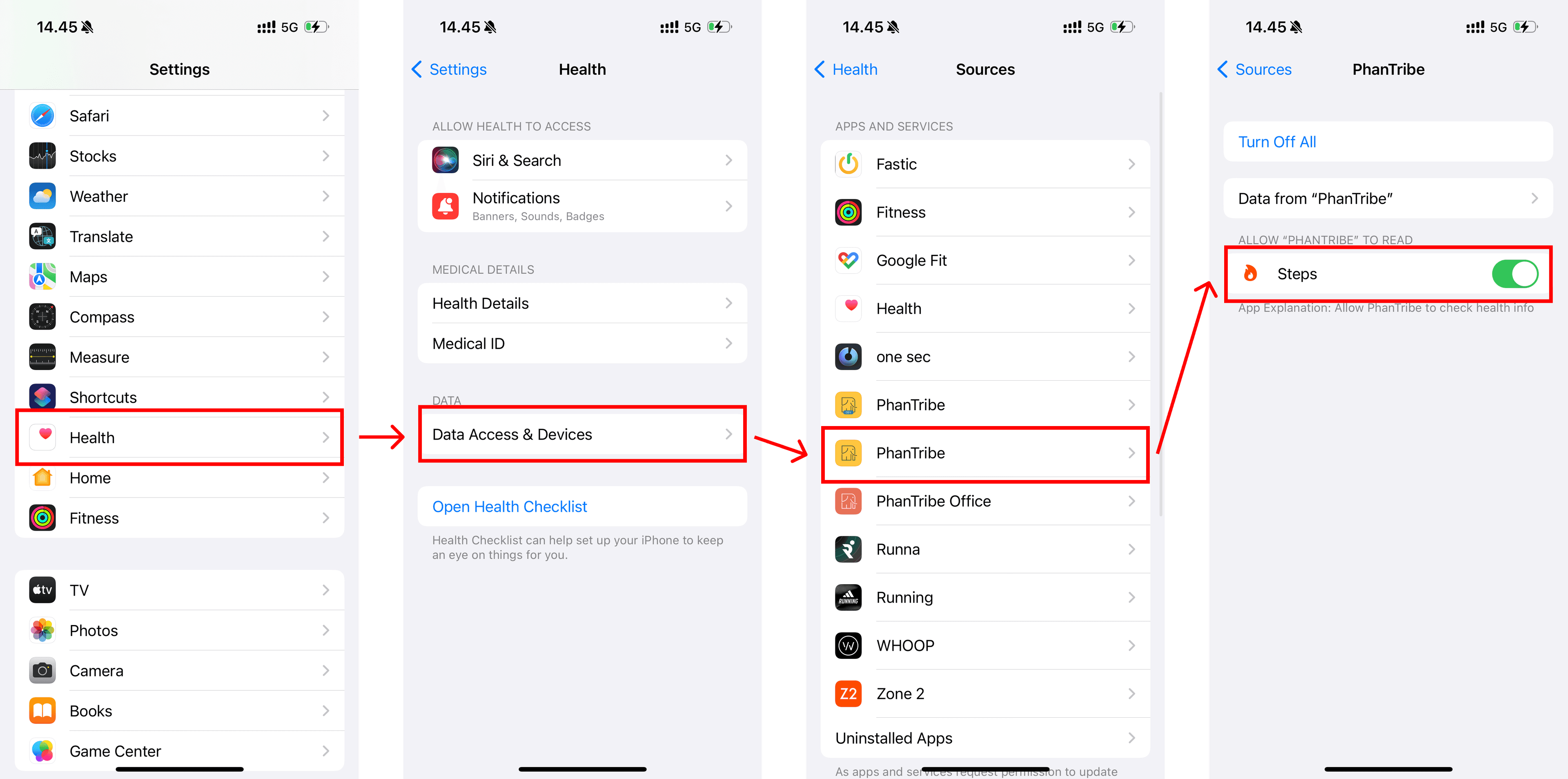
If your step count is 0 has been like that for a while even if you clearly walked some steps, then it could be because of a permission issue.
Open the Settings app on your iPhone and navigate to Health > Data Access & Devices > PhanTribe > Steps and make sure that the toggle switch next to Steps is enabled.
See image below:
Team & Profile Management
How can I change my team leader?
Your current team captain needs to contact support directly to request a transfer of leadership to you.
How can I set my country/office location in the app (if applicable)?
Your country can only be selected during the initial sign-up process. However, support can manually update this for you if you provide the desired country.